
Most players finish a game, glance at the accuracy score, and queue up the next one. That is the single biggest waste in chess improvement. Your own games are the only source that tells you which patterns you miss, under your time controls, in your openings. Puzzles are the gym. Your games are the diagnosis that tells you what to lift.
"The loss is already paid for. Analyzing it is how you get your money back."
Step 1: Write Down Your Thoughts Before the Engine
Right after the game, before you turn on any engine, spend five minutes going through the moves on your own. At each moment that felt important, note what you were thinking: what you were afraid of, what you calculated, and what you missed seeing entirely.
This step matters because the engine only tells you what was wrong. Your notes tell you why. "I didn't see the knight fork" and "I saw the fork but thought it lost a piece" are completely different problems with completely different fixes.
Step 2: Find the Critical Moments
A 40-move game usually has only three to five moments that decided it. Look for:
- Evaluation swings: Moves where the position went from fine to losing (or winning to drawn)
- Long thinks: Anywhere you spent a lot of clock time. Uncertainty is a signal.
- Captures and checks you didn't consider: Forcing moves are where tactics hide
- The transition moments: Leaving the opening, trading into an endgame, or your opponent's first real threat
Step 3: Now Turn On the Engine, and Ask Why
With your own notes written, check the critical moments against an engine. For every mistake, don't just read the best line. Ask: what did the engine see that I didn't? Play the best line out on the board until the idea is clear in words, like "the rook on the open file lands on the 7th rank with tempo."
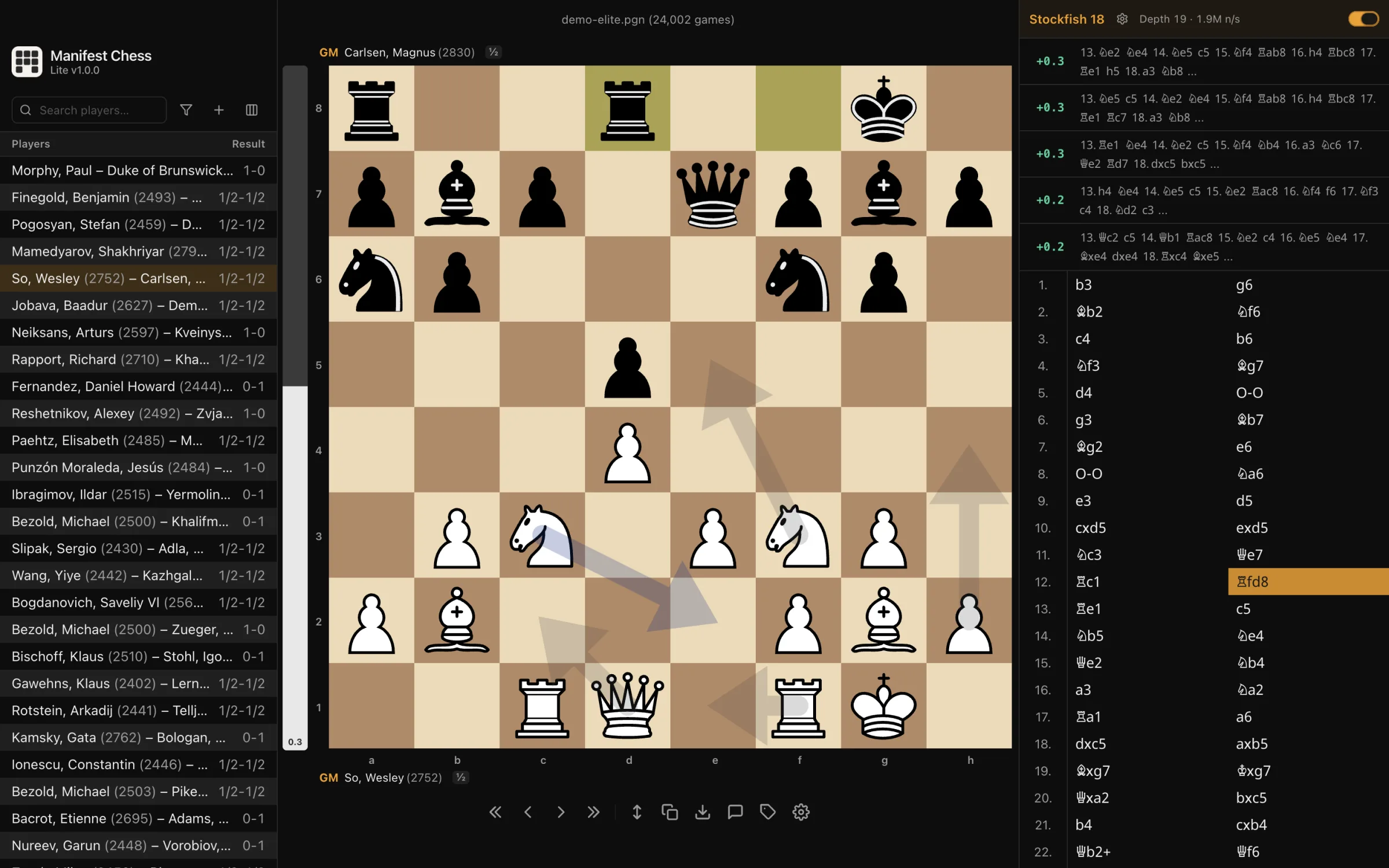
Looking at several engine lines at once is more useful than looking at one. If the top three moves all share an idea, like attacking the same weak pawn, that idea is the lesson.
Step 4: Label Every Mistake
This is the step almost everyone skips, and it is the one that makes analysis pay off. Give every real mistake a category:
| Mistake Type | What It Looks Like | How to Train It |
|---|---|---|
| Missed tactic | You never saw the fork, pin, or mate | Repetition drilling on that theme |
| Calculation error | You saw the idea but miscounted the line | Harder puzzles, solved without moving pieces |
| Opening problem | Bad position by move 12, every game | Review your repertoire file |
| Endgame technique | Winning position converted into a draw | Endgame-themed puzzle sets |
| Time trouble | Good position lost with seconds on the clock | Timed drills to build speed |
After ten games you will have a tally. For most club players, "missed tactic" wins by a mile. That tally is the most valuable number in your chess life, because it tells you exactly where your training time should go.
Step 5: Save Your Annotated Games
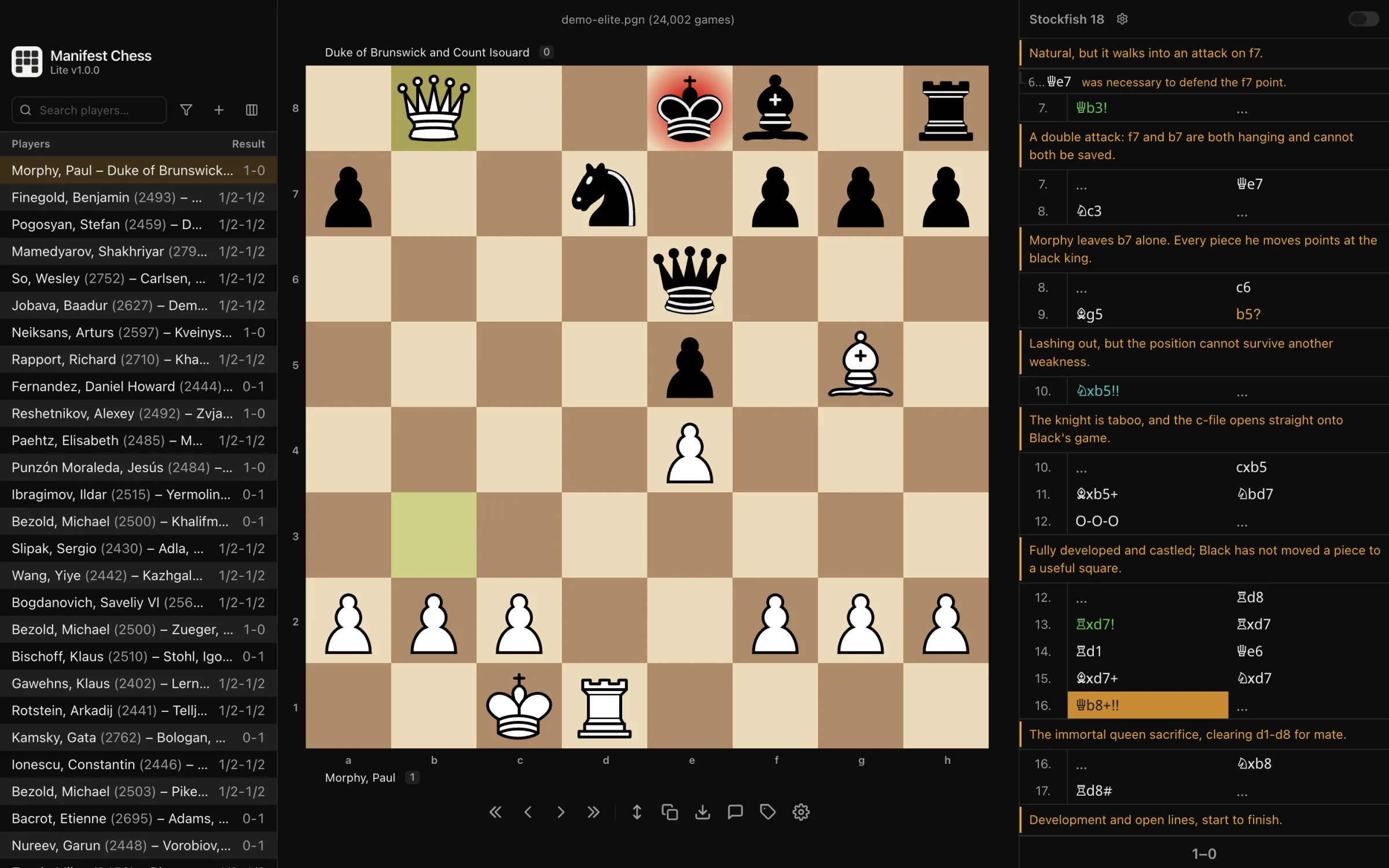
Keep every analyzed game in a PGN file (the standard text format for chess games that every chess app can open), with your notes as comments. Months later, that file becomes a personal textbook: your own recurring mistakes, in your own openings, explained in your own words.
On a Mac, a dedicated PGN reader opens the file instantly and writes your comments straight back into it, so your notes live in the file rather than in one app's private storage.
The Tools: What to Use for Game Analysis
You don't need expensive software to do this well. Pick the tool that fits how you play and what computer you use.
Free, in the Browser
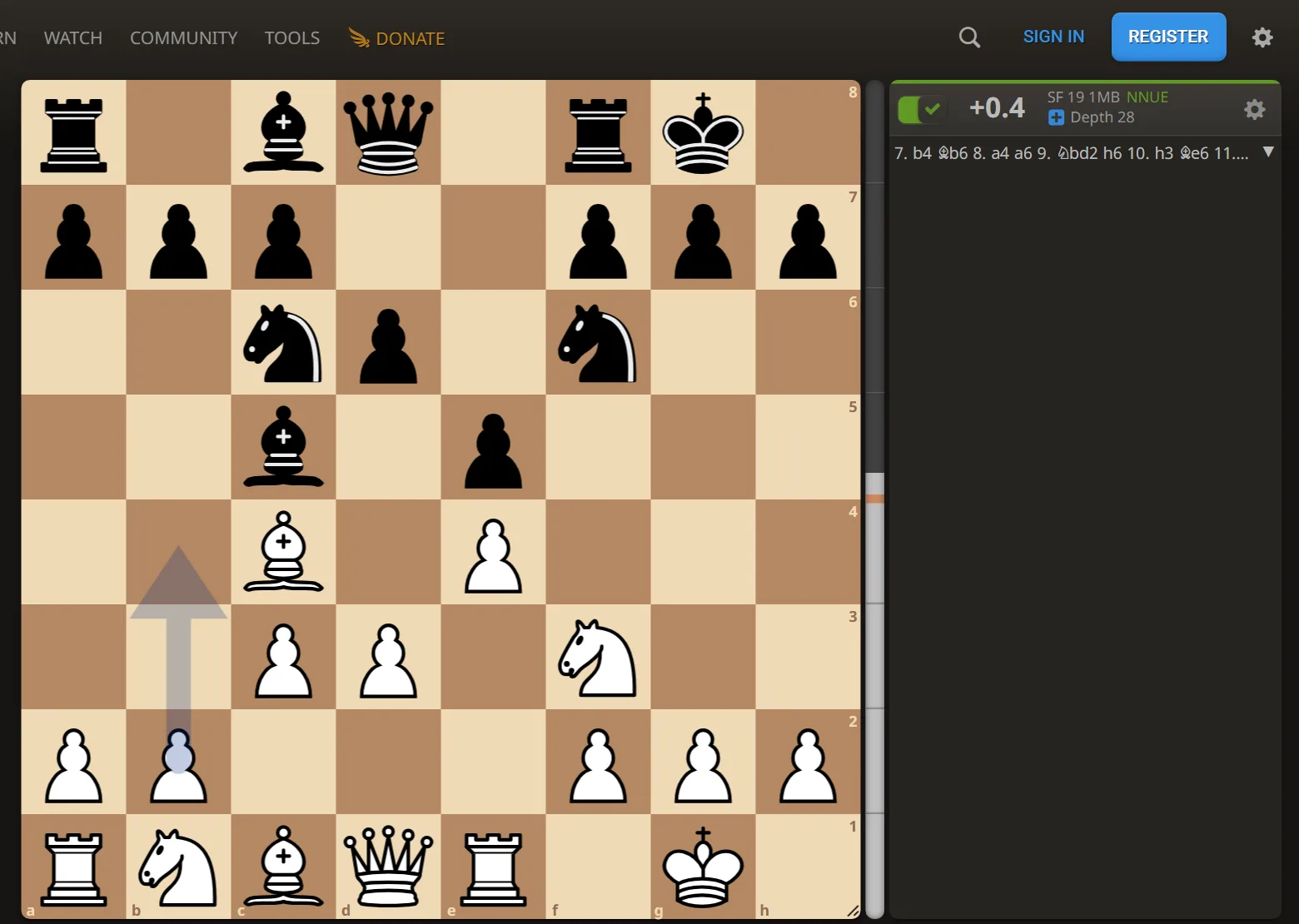
- Lichess analysis board: Free, with a strong engine and PGN import. The best zero-cost option for most players.
- Chess.com Game Review: Convenient if you play there. Free accounts get a limited number of full reviews.
- ChessPecker analysis board: Stockfish running in your browser, with a verdict on each move you play. The engine is a Premium feature.
Desktop Apps
A desktop app is worth it once you have hundreds of games and want everything in one place, offline, and on your own machine.
Manifest Chess Lite (Mac): a fast, offline PGN reader. Double-click a PGN file and it opens on the board, with Stockfish 18 (up to five lines) and annotations saved back into the file. No account and nothing sent anywhere. One-time purchase on the Mac App Store (€19 at time of writing).

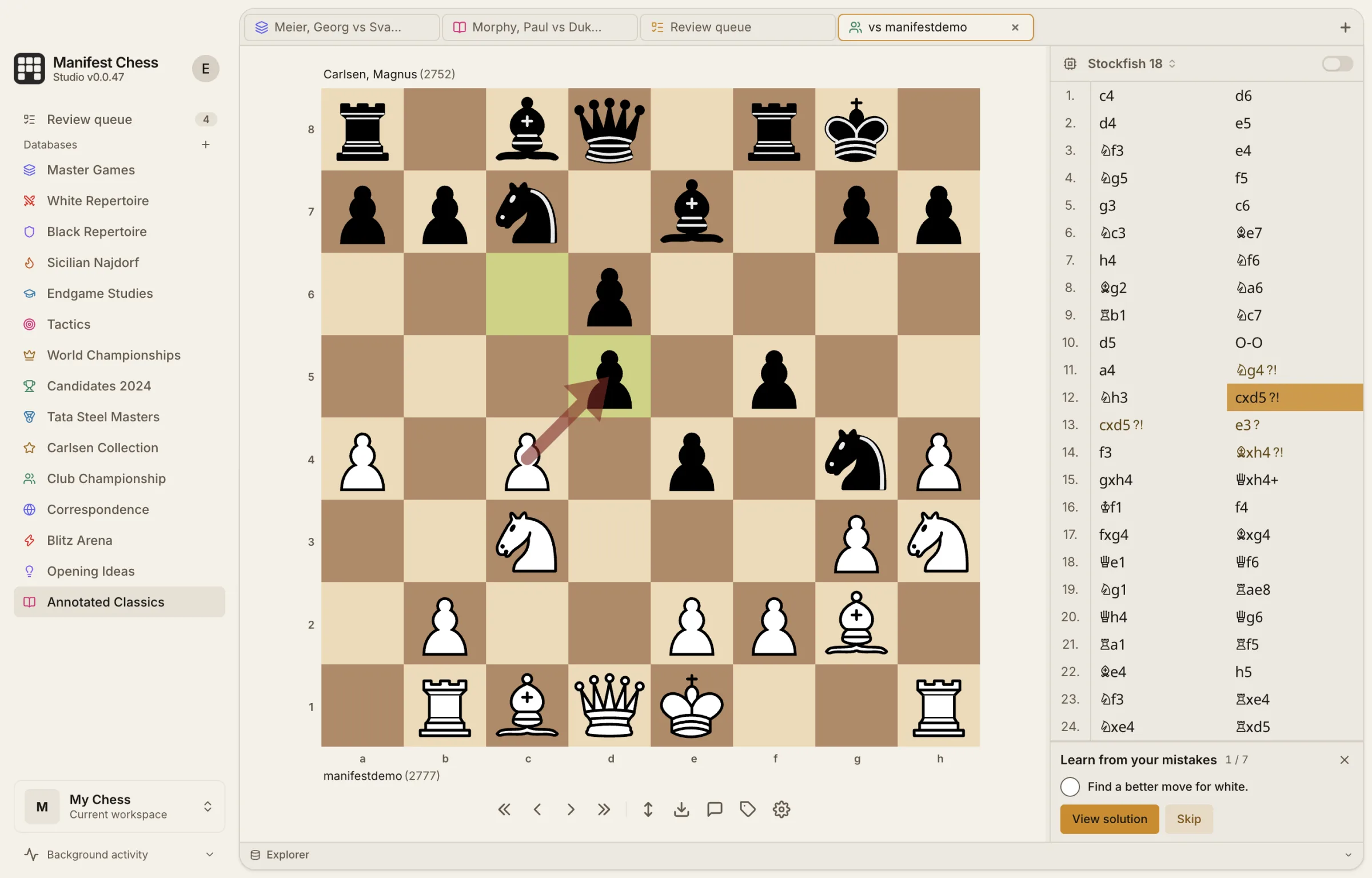
Manifest Chess Studio (Mac): the full database version. Keeps every game you own in searchable databases with position search, syncs your Lichess and Chess.com games automatically, and queues them for review. One-time purchase (€129 at time of writing).
- ChessBase '26: The long-standing professional standard on Windows, with the largest ecosystem of databases and training material. €199.90 for the program alone, €249.90 for the Starter Package.
- En Croissant: A modern, free, open-source database for Windows, Mac, and Linux.
- SCID vs. PC: A long-standing free, open-source database for Windows, Mac, and Linux. Older interface, lots of features.
| Tool | Platform | Cost | Best For |
|---|---|---|---|
| Lichess analysis | Browser | Free | Quick review of any game |
| Chess.com Game Review | Browser | Free, limited | Games played on Chess.com |
| Manifest Chess Lite | Mac | €19 one-time | Fast offline PGN reading and annotation |
| Manifest Chess Studio | Mac | €129 one-time | A personal database with automatic game sync |
| ChessBase '26 | Windows | €199.90 program only, €249.90 Starter Package | Professional preparation |
| En Croissant | Win / Mac / Linux | Free, open source | Modern open-source database |
| SCID vs. PC | Win / Mac / Linux | Free, open source | Long-standing free database |
Step 6: Turn Your Mistakes into a Training Set
Analysis without follow-up is just reading. If your tally says "missed tactic," the fix is to see that tactic so many times that you can't miss it again. That is exactly what the Woodpecker Method is for.
- Check Theme Mastery: Your ChessPecker theme breakdown should confirm what your game analysis found. If you keep missing forks in games and your fork accuracy is low, you have found your weakness from two directions.
- Build a targeted set: Create a puzzle set focused on that theme, at a difficulty slightly below your rating so you can solve fast.
- Drill it in cycles: Solve the same set repeatedly, getting faster each time, until the pattern is automatic.
- Re-check your games: After a month, analyze ten new games and redo the tally. The category you trained should shrink.
Frequently Asked Questions
Should I analyze every game?
No. Analyze losses, draws you should have won, and games at your main time control. Bullet games rarely teach enough to be worth 20 minutes.
How long should analysis take?
15 to 30 minutes for a rapid or classical game. If it takes longer, you are probably reading engine lines instead of looking for the reason behind each mistake.
Is the engine's accuracy score useful?
As a rough mood indicator, sure. But a 92% accuracy game with one missed mate matters more than an 80% game full of small inaccuracies. Look at the critical moments, not the average.
What is a PGN file?
Portable Game Notation, the plain-text format for chess games. Every chess site lets you download your games as PGN, and every analysis tool can open them.
What is the best chess database for Mac?
ChessBase is the standard, but it is Windows software and doesn't run natively on macOS. The native Mac options are Manifest Chess Studio (€129, one-time) and the free, open-source En Croissant and SCID vs. PC. Studio is the easiest if you want Lichess and Chess.com sync and position search without setup; En Croissant is the pick if you want something free.
What is the best PGN reader for Mac?
For opening and annotating PGN files, Manifest Chess Lite (€19, one-time) is a fast native option: double-click a file and it opens on the board with Stockfish 18, and your annotations save back into the same file. Lichess's import is the free alternative if you don't mind working in a browser.
Start With Your Last Loss
Open your most recent loss, write down what you were thinking, find the moment it turned, and label the mistake. Then go train that mistake until it's gone.
// TOPICS
// APPLY_KNOWLEDGE
Ready to Put This
Into Practice?
> Start training with the Woodpecker Method on ChessPecker today. Build lasting pattern recognition.


